Game concept
Bear with me — this is going to be a relatively long one. Before I get into the details of the Atari ST game I’m developing, I want to give you a good idea of what the game is about, why I’m developing it, and why I’m so excited about it. Some history needs to be told first.
Some more history
I didn’t even mention this in the Introduction, but I was 9 years old when my dad bought his second computer. It was a Sharp MZ-800, the successor of the Sharp MZ-700 which he had sold. We drove to a larger nearby city to buy it at a store called “Kwantum Hallen.” He paid around 500 Dutch guilders, which was a decent price.
I had handled the MZ-700 a few times before, but it was the MZ-800 that really got me interested.
The MZ-800 was a very solidly built machine, based on the 8-bit Zilog Z80 CPU, and it had 64 KB of RAM. The architecture was pretty similar to the ZX Spectrum and MSX machines of the time.
Our model had this cool 2.8” Quick Disk drive that could store 64 KB of data on each side (yes, you had to flip the disk to access the other side). The drive had a top-loading mechanism and I still remember the typical sounds it made. One particular aspect of this drive was that data was stored in a spiral pattern, much like the way data is stored on a cassette tape. This meant there were no tracks or sectors on the disk, and when you wanted to delete a file, you had to load the disk’s contents into memory and write it back without the file you wanted to delete.
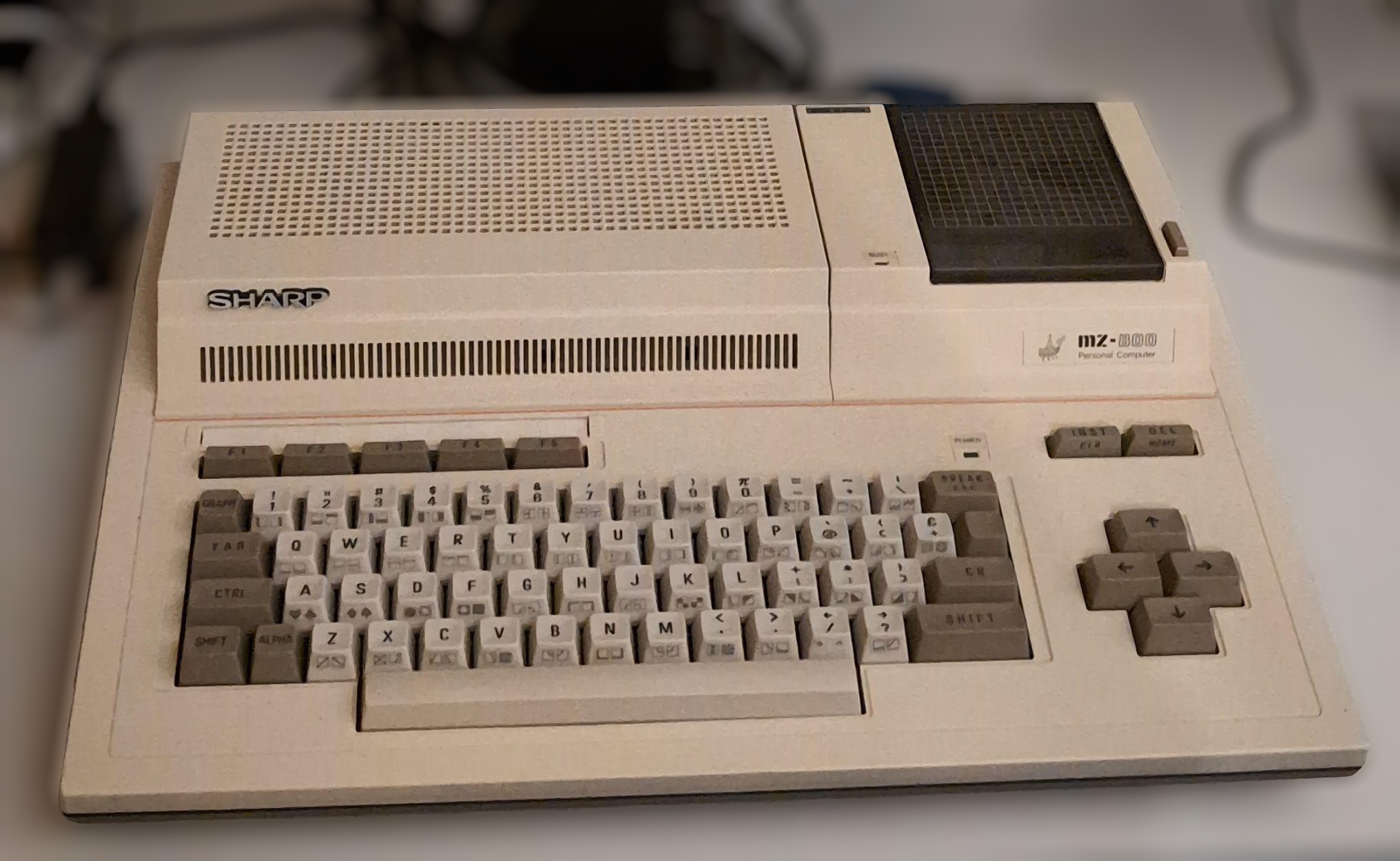 My Sharp MZ-800 with a Quick Disk drive installed
Games on the MZ-800
We had only a handful of games for the MZ. A friend of mine who had a C64 had many more, and I was a bit envious. But I liked my games nonetheless.
Some of the games I have fond memories of:
Tutanchamun
This is a very tense game where you have to run through a maze, fetch keys while avoiding enemies. Time counts down quickly, so you have to be fast. To survive, you need to collect artifacts that grant extra points, extra lives, and smart bombs. But if you spend too much time collecting artifacts, you’ll run out of time and lose a life anyway.
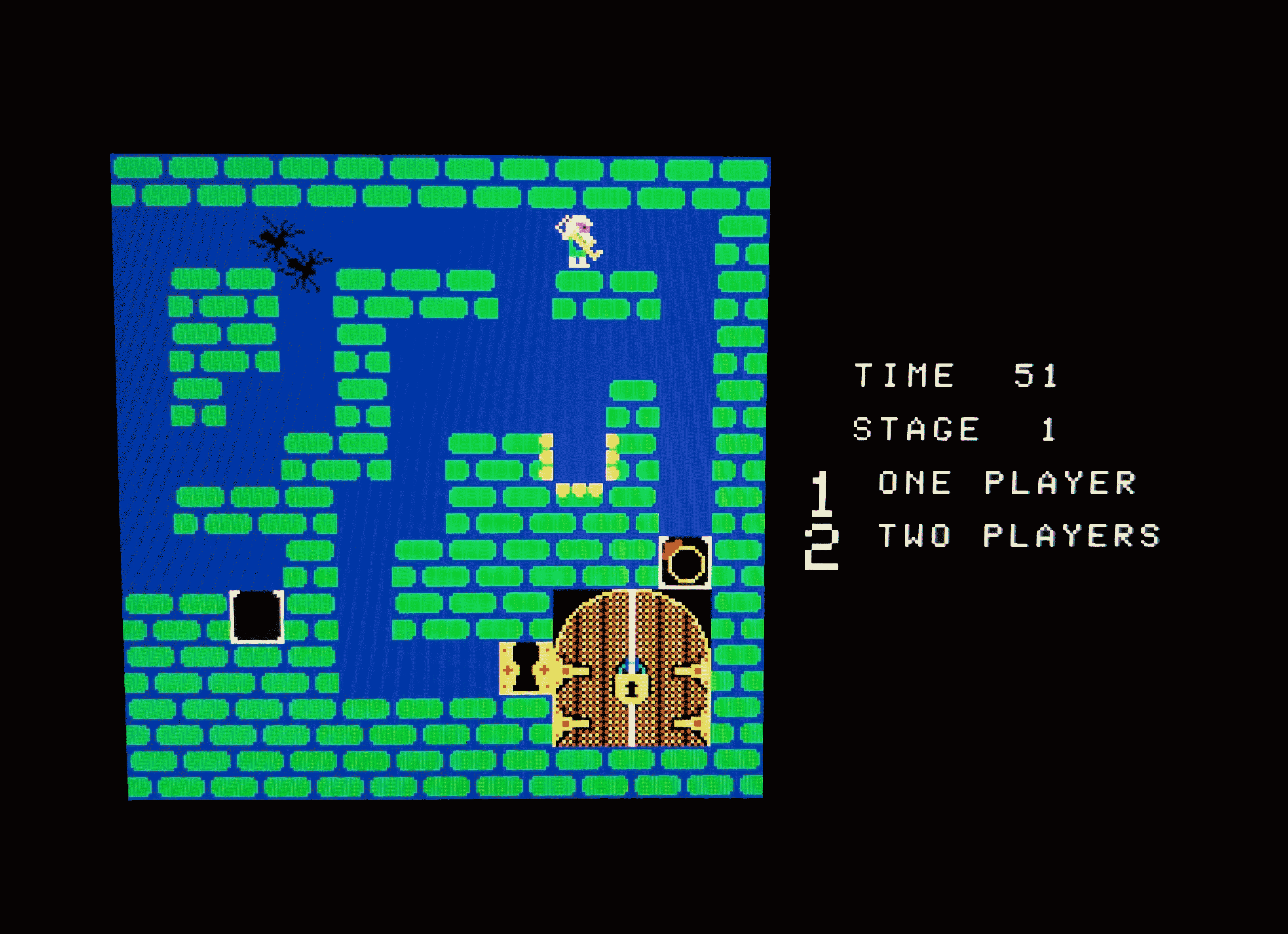 Tutanchamun on the Sharp MZ-800
Last month, I found out that this game was actually a port (or most likely a clone) of the arcade game Tutankham by Konami (1982). Back then I had no idea, but it didn’t matter because it was exciting to play, although I thought it was very difficult. I played it again recently and still find it pretty hard, although I managed to get much further than when I was a kid.
Nakamoto
I think this is one of the signature Sharp MZ games, probably of Japanese origin, given its name. It’s a puzzle platformer where you have to collect items and avoid enemies.
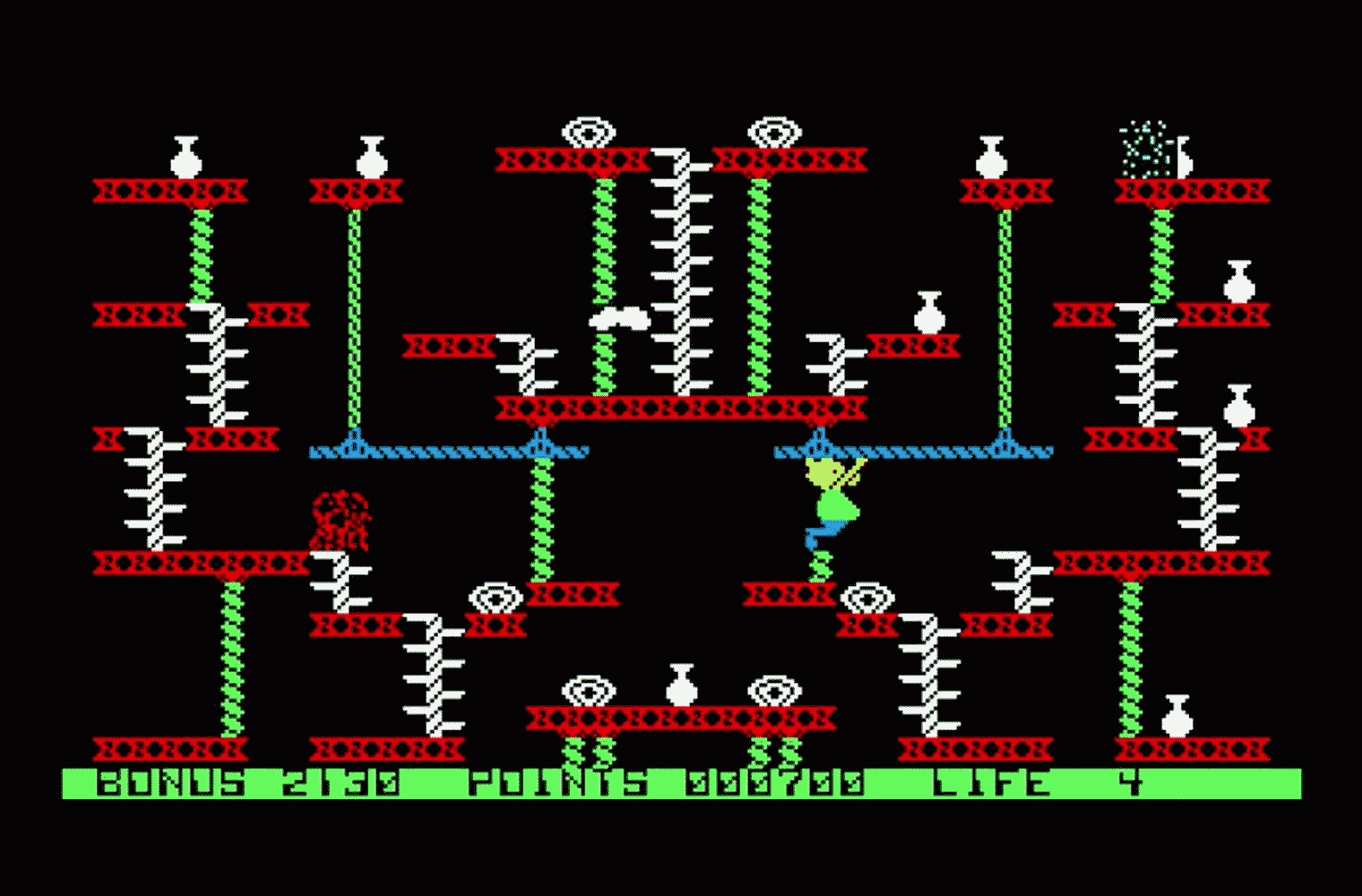 Nakamoto on the Sharp MZ-800
I didn’t realize it at the time, but now that I have looked at it again, it appears to run in character mode. One of the things that gives it away is that when sprites are supposed to overlap, they cancel each other out. This probably means it runs on an MZ-700 as well, as that machine only had 2 KB of VRAM and no graphics capabilities other than custom fonts in character mode.
VRAM
I soon found out that the MZ needed a VRAM upgrade to be able to play most games. The standard MZ-800 came with 16 KB of VRAM, which was enough for a resolution of 320x200 with 4 colors. But most games required 32 KB of VRAM, which allowed for a resolution of 640x200 with 4 colors or 320x200 with 16 colors (much like the ST but without the extra colors from a palette). The next time my dad took me to a HCC MZ-GG1 meetup, he bought a 16 KB VRAM chip which we then inserted into the VRAM socket on the motherboard of the MZ. I think it cost around 80 Dutch guilders at the time, which was quite a lot of money. But boy, did it open up a whole new world!
Basic
Not long after, I wrote my first Basic program on the MZ. At that time, I didn’t get much further than drawing a series of growing circles and making the computer play a few simple notes. I don’t remember how I figured out how to even do that. I guess my dad gave me some pointers since he was a bit familiar with programming, but he doesn’t recall that at all. It’s typical for a kid: these kinds of things simply look natural, and you figure them out by playing around.
Talking about circles, it was quite unique for a Basic to be able to draw primitive shapes like circles, lines and rectangles. Most Basics at the time only had a command to plot individual pixels and you’d have to resort to POKE eventually. My Basic interpreter supported drawing scaled text, which was pretty neat.
I remember taking the MZ to my school one day and connecting it to the big TV in the school’s auditorium. During lunch break, under our teacher’s supervision, I showed a few programs to my class; most were puzzled and didn’t really understand what was going on. But I loved showing the MZ — I was so proud of it.
As my Basic skills improved, I started writing some simple games myself. When I was 12 years old, I finally had a working game that was more than a simple concept. It boasted a maze, a player character and some enemies. I called it “Labyrint”.
“Labyrint” is the Dutch spelling of “labyrinth”, so it’s not a typo — though I’m not sure I was aware of that back then.
And you know what? I still have the source code! Back in the day, in a bright moment, I decided to print it on my dad’s dot-matrix printer (probably also because I liked to print stuff anyway). I still have the printout in a box upstairs. I tried OCR-ing it a few years ago, but the dot-matrix typeface didn’t play nice with the OCR software I had. So I decided to just type it out again. Fortunately, it wasn’t too much code, so I managed to do it in an hour or so. I made a handful of errors, which easily happens because there are a lot of hex codes in the source. But I was able to fix the mistakes by debugging. I added a second error handler that shows the error code and the line number.
There are likely a few typos left in the source. The opening screen has some distortion in the logo and there are probably some more subtle bugs as well. I suspect the foe movement code is buggy because it’s showing strange behavior.
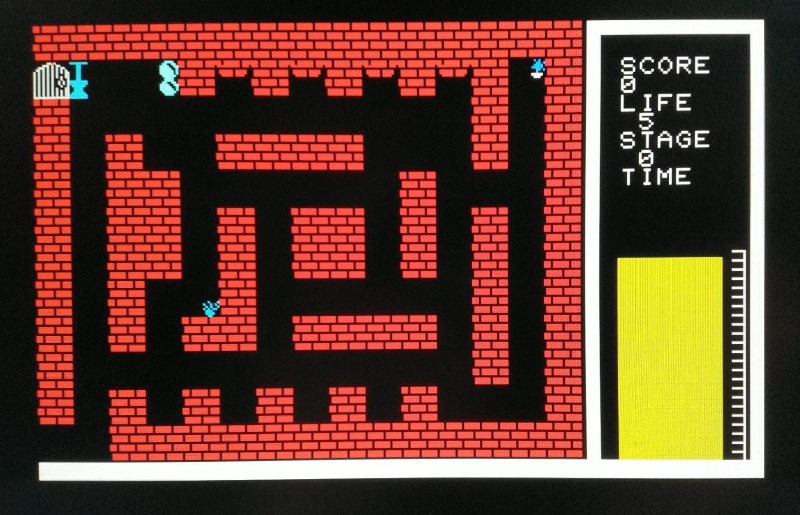 My Sharp MZ-800 game called “Labyrint” from 1988
Honestly, I don’t think the game is much fun to play in its current state. But perhaps, after fixing all typos and maybe some bugs as well, it can be nice to play. I do think that the fence that pops up randomly is a little stupid, it can just drop on your head out of nothing. I might want to tune its behavior to make gameplay a little more fair.
But most importantly, it was so much fun to write and it felt like magic that you could put all this work into a program and then run it and see it come to life on the screen. This feeling never left me.
I actually submitted the game to a HCC MZ-GG programming contest. I ended up winning the 4th prize in the gaming category. Unfortunately, I couldn’t make it to the award ceremony because my parents made me visit my grandmother for her birthday. I was quite disappointed at the time, but at least I got my prize in the mail: a nice, red-labeled cassette tape with public domain software.
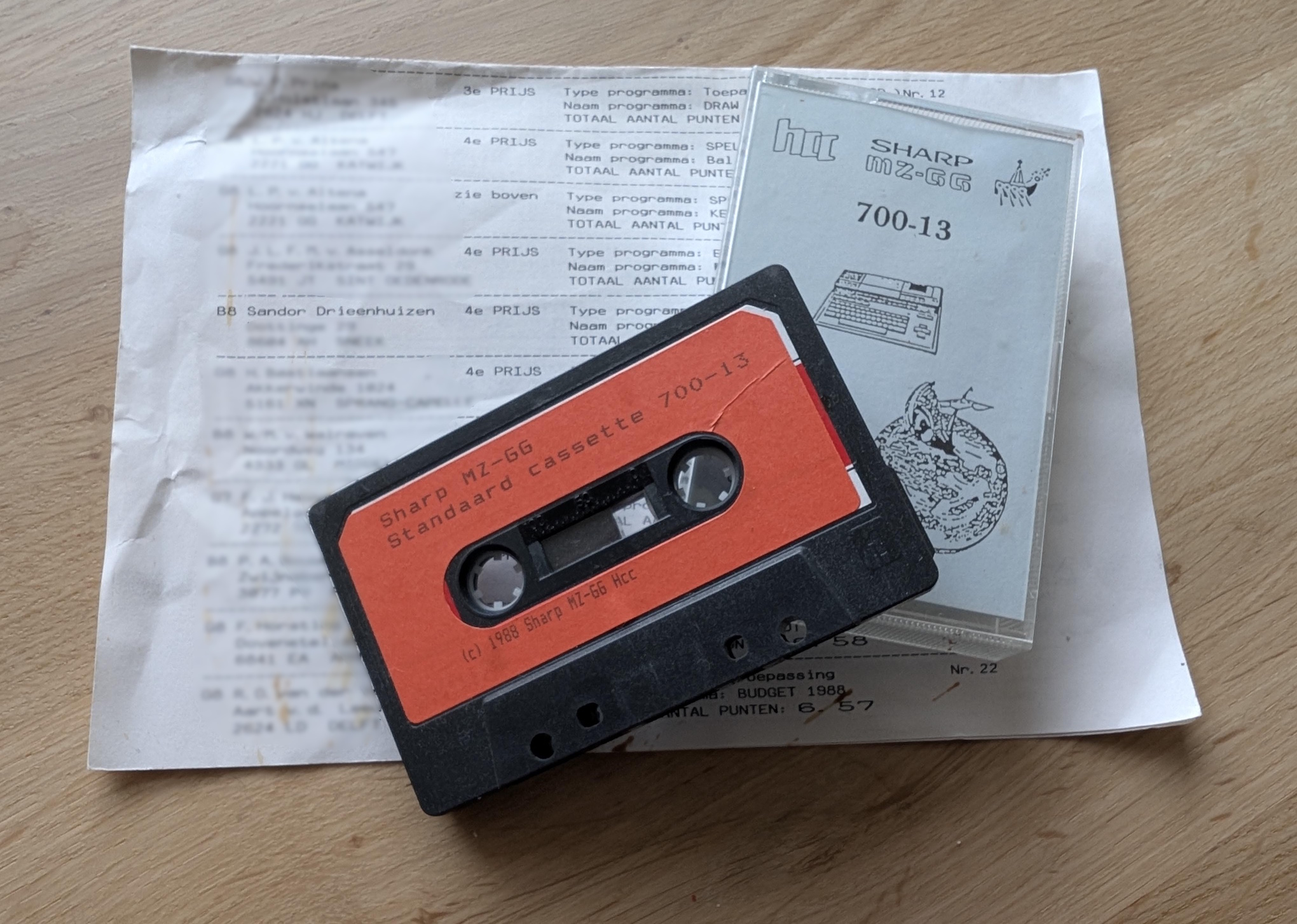 The HCC MZ-GG cassette tape with public domain software
Tricks
I remember one trick I learned to save memory. Because the Basic interpreter was loaded into memory (the MZ didn’t have Basic in ROM), you’d quickly run out of memory when typing more than a bit of code. You’d have about 18 KB of memory left for writing code and running it!
The particular Basic interpreter I used (Universal Basic) allowed you to omit spaces in many places that contemporary Basic interpreters didn’t, which was a neat trick to save memory.
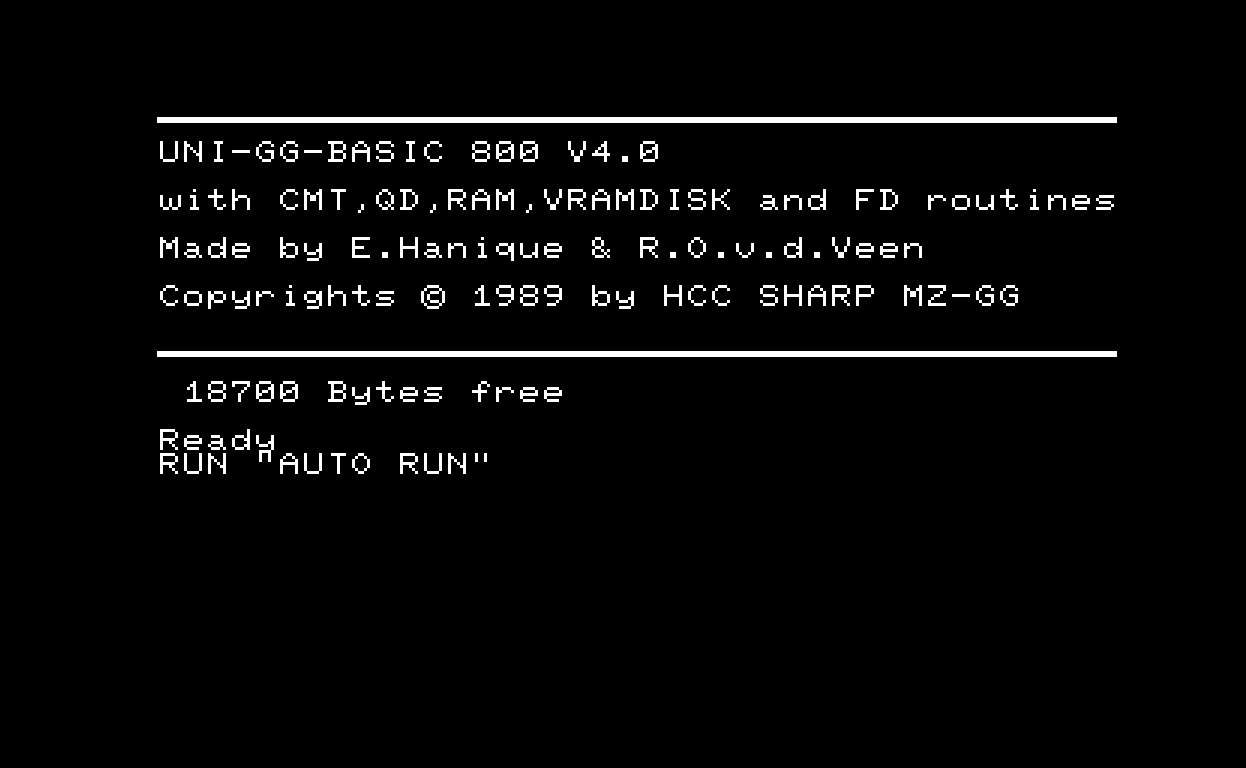 Universal Basic 4.0, eating away most of the available RAM
So, for example, instead of
FOR I = 1 TO 10
you could write
FORI=1TO10
In retrospect, I think this worked because the interpreter didn’t use bytecode to store the source in RAM (like interpreters on later machines did — for example, GFA Basic on the Atari ST), but instead stored the source code as-is in memory.
Storing source code using bytecode isn’t something most modern programming languages do anymore because it has some serious restrictions but I guess it made sense under the memory constraints at the time.
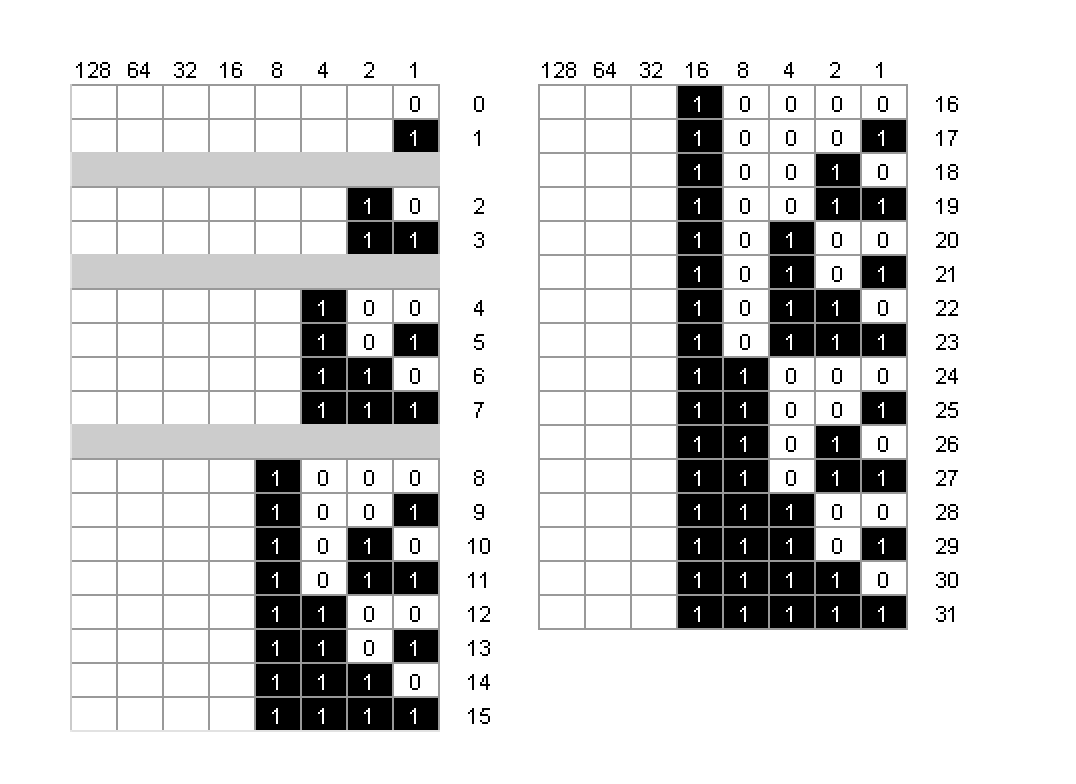
Something else I remember is that I had this little magazine (probably issued by the HCC MZ-GG but I’m not entirely sure) that showed the bit patterns for byte values 0-255. I didn’t understand binary arithmetic at the time, but I found it really useful to look up the bit values for each byte because I could make sprites that way. I first drew the sprite on graph paper and then translated it to hex values using the table. The Basic interpreter had a command that allowed you to draw a sprite using these hex values.
The table looked something like this:
Another trick I remember was one time, when I was playing with sound on the MZ. I accidentally discovered that you could play a special kind of sound by setting the envelope generator to a really high rate. It sounded a bit off-key but nevertheless special. At lower frequencies it sounded pretty good and not too off-key. I remember showing my trick to people at a Sharp MZ-GG meetup that I went to with my dad (I think in de Jaarbeurshallen in Utrecht). A few years later, with the Atari ST, I learned that this trick was actually a well-known technique called hard sound or hardware sound, most often used for bass sounds called hard bass.
If you’re interested in technical details: the MZ had a Texas Instruments SN76489AN PSG, which is quite similar to the PSG of the Atari ST (a Yamaha YM-2149, which in turn is actually a General Instrument AY-3-8910AY).
The Atari ST
Then, somewhere in 1989, the ST arrived. I already wrote a bit about it in the Introduction, so I won’t repeat all of that here. Suffice to say, it boosted my interest in programming. It offered far more: 1 MB of RAM (vs. 64 KB), a 16/32-bit architecture, a real color palette (the MZ had only 16 fixed colors), and MIDI ports. The sound chip wasn’t a big improvement, however — it was similar to the MZ’s — but I came to love it anyway. The Atari ST also had many great games and demos that made excellent use of the ST’s sound chip; I hadn’t even heard half of what it was capable of.
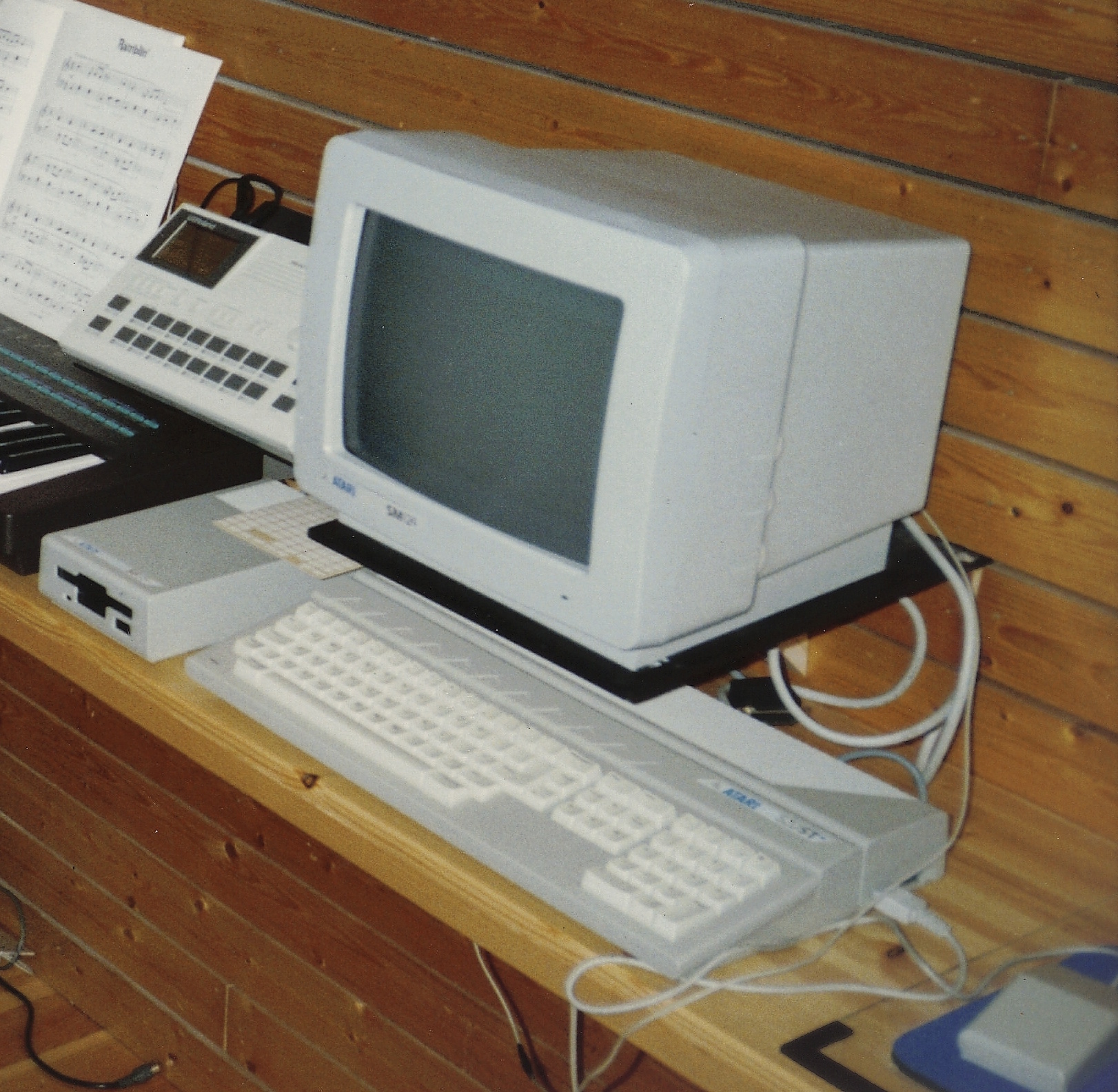 My Atari ST in our living room back in 1989
Games on the ST
Xenon
I now had access to many more games than I had on the MZ, and man, I was so fascinated by them. One of the first games I remember playing on the ST was Xenon by the legendary The Bitmap Brothers.
Check out this Xenon 1 gameplay video.
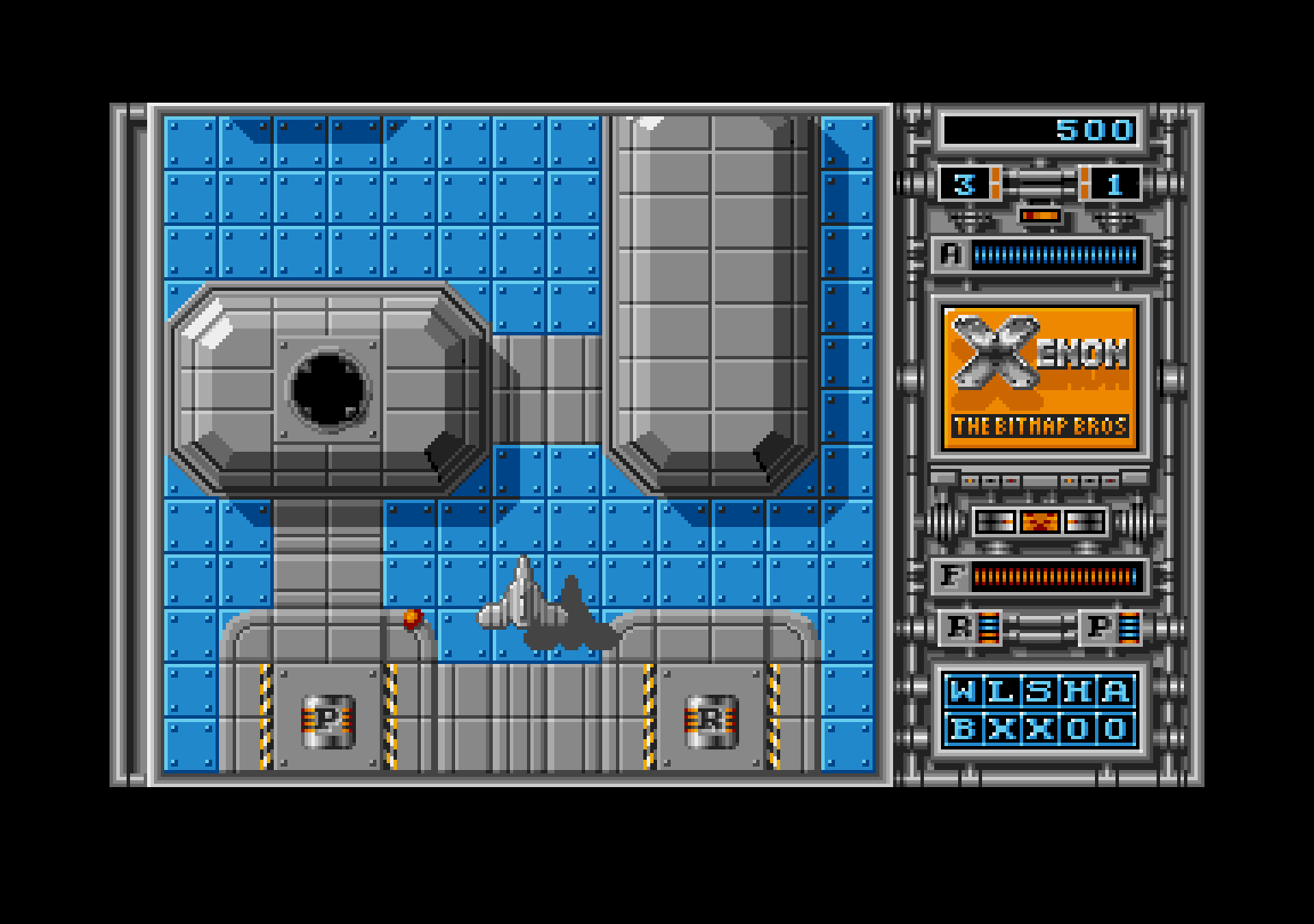 Xenon on the Atari ST
While I didn’t have a color monitor until a few years later, I managed to run it using a color emulator. Only a few games worked with the emulator and you had to accept some serious downsides: the frame rate was really low and, to make it not bog down completely, you had to run it in half-width mode, which made the game look even worse. But it was still playable.
I don’t know if this was the exact program I used but this one is similar to it: Omnires.
And the music… it was so good! The famous David Whittaker soundtrack has never left my mind. And that sampled voice at the beginning of the game — “Sector One” — was one of the first samples I’d ever heard come directly from a computer.
Xenon 2: Megablast
And then, there was Xenon 2: Megablast. My best friend Roberto (you might remember him from the Introduction) had gotten the Atari ST Action Pack which contained Xenon 2, and we couldn’t believe how much better it looked than the previous edition. The graphics were so much more detailed and refined (drawn by the talented Mark Coleman).
Check out this Xenon 2 gameplay video.
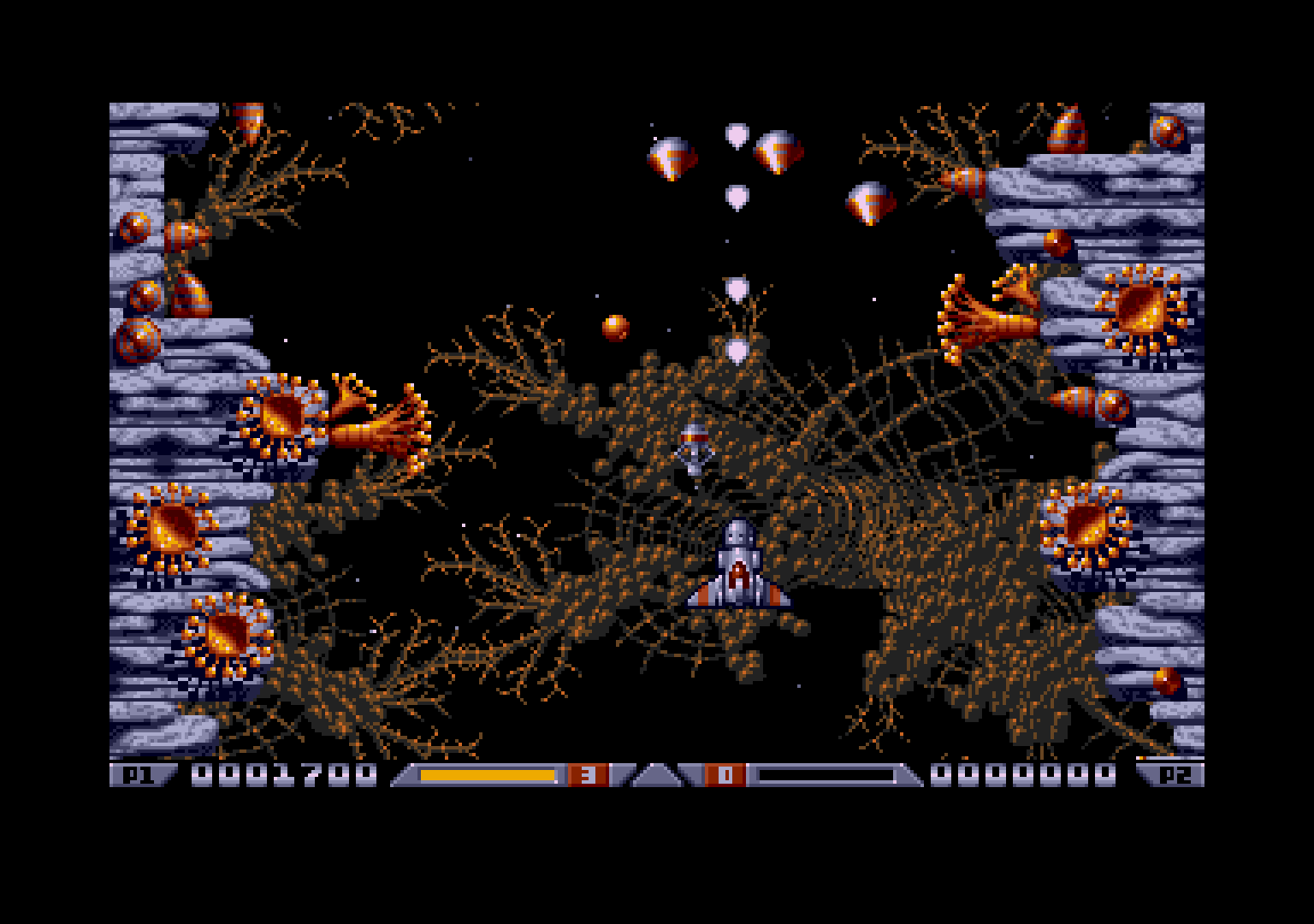 Xenon 2: Megablast on the Atari ST
I remember that we’d often play Xenon 2 at his house, where he would control the player ship and I would mash the right mouse button like crazy to shoot. I don’t know if his joystick lacked auto-fire or that this just worked better, it was our way to play together.
It is a well-known fact that the right mouse button on the Atari ST is wired to the same input as the fire button of the first joystick, probably to cut costs.
Flying Shark
Now, Flying Shark wasn’t a game that excelled in graphics quality or performance, but it still stood its ground as a port of the popular arcade game. It’s a pretty difficult and unforgiving game, but I loved it anyway. The game mechanics are simple but solid.
Check out this Flying Shark gameplay video.
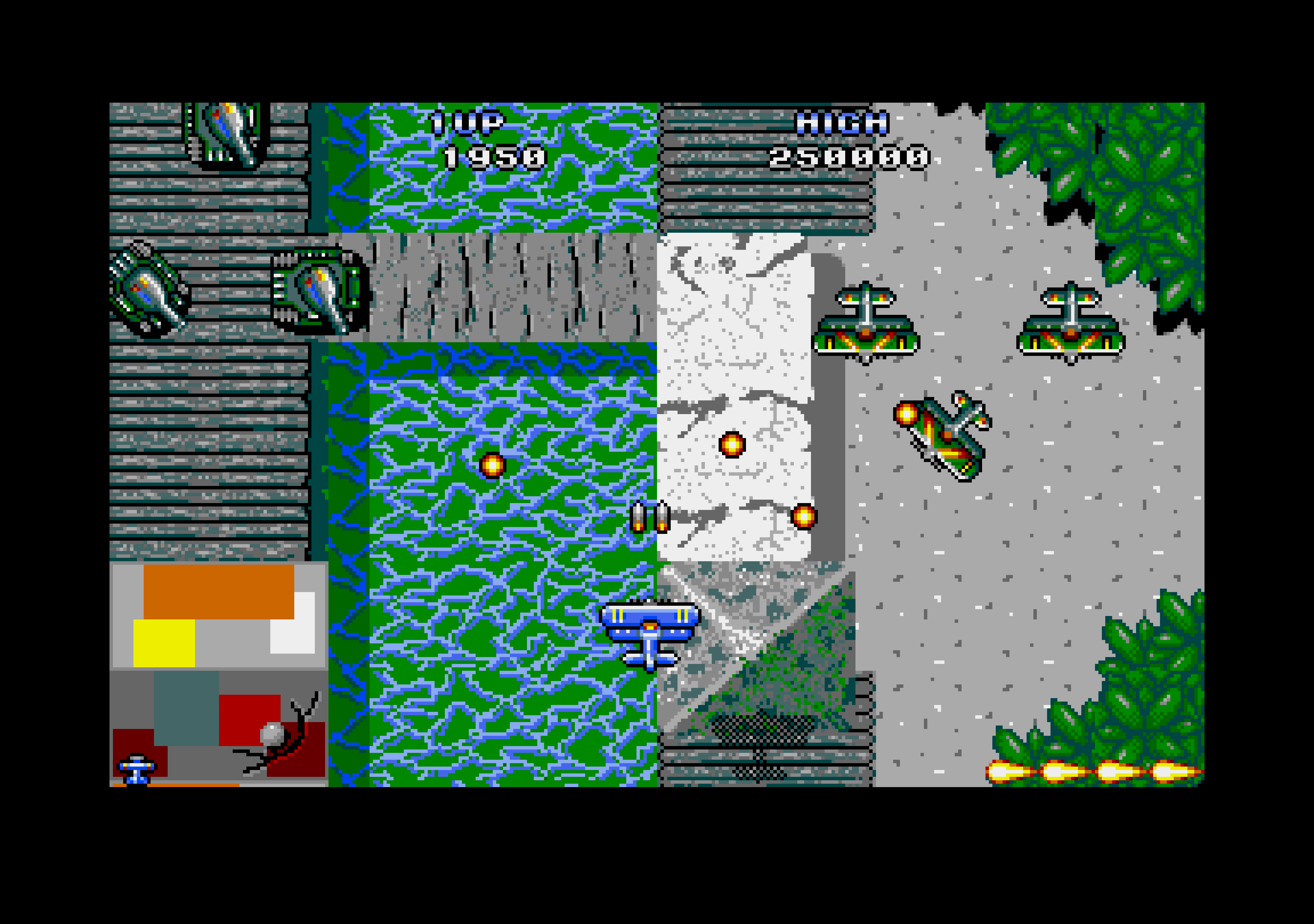 Flying Shark on the Atari ST
Lethal Xcess
Well, Lethal Xcess (aka Wings of Death II) is a bit of a special game. Graphically, it’s not the best-looking game but it definitely sits above average in that respect. Gameplay-wise, it’s also not the most exciting game, mainly because it is extremely difficult and it doesn’t have very interesting game mechanics. But technically? Boy oh boy. It was written by demoscene members and it shows. It has a large scrolling playfield with a resolution of 320x256 pixels, for which the creators had to open up the vertical borders. It also uses sync scrolling, which allows for larger playfields and smoother scrolling. All in all it was a very impressive technical achievement for the Atari ST.
Check out this Lethal Xcess gameplay video.
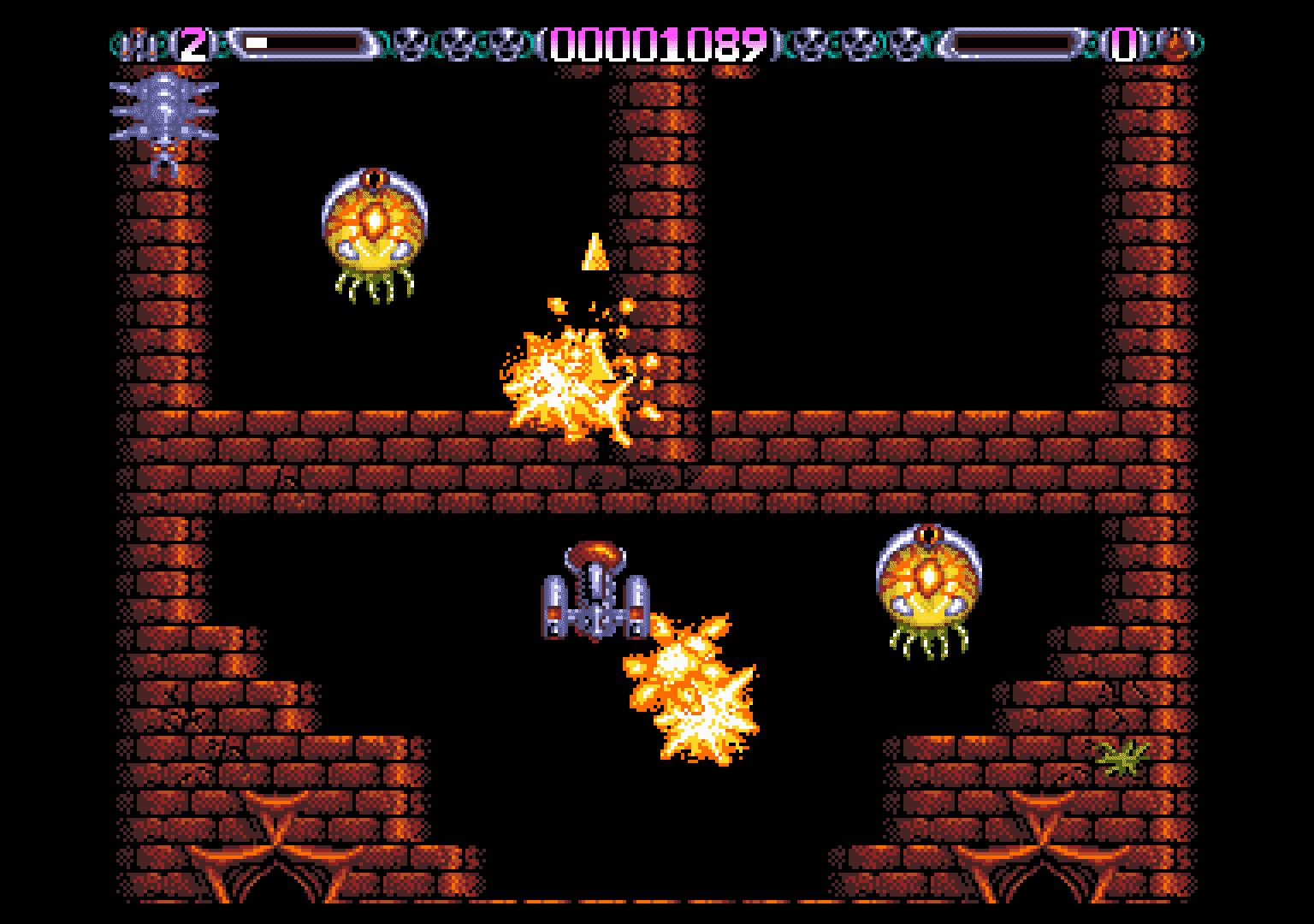 Lethal Xcess on the Atari ST
Endless list
I could go on and on to talk about many more great games that I liked, but I have to stop somewhere.
It probably hasn’t gone unnoticed that all of these games are vertically-scrolling shoot ‘em ups. Although I had quite a lot of games I liked a lot that were from other genres, I definitely had a taste for vertically-scrolling shoot ‘em ups and you probably can guess what genre the game I’m working on is in.
Basic programming on the ST
But before we get to that, let me tell you a bit about how I got into programming on the ST. You already know that I had experience with Basic programming on the MZ and it was a no-brainer to start with GFA Basic on the ST, which was the de-facto standard Basic for the ST. It was a lot better than Atari ST Basic (I think I hardly even tried that one) and there were good books about it as well.
At first, I spent most time writing graphics drawing programs, which was a lot of fun. I still didn’t have a color monitor so I could only use high resolution (640x400). I also wrote a few simple games.
Once I had the color monitor, Roberto and I started working on a game called “Dr. Woody”. Sadly, we never finished it.
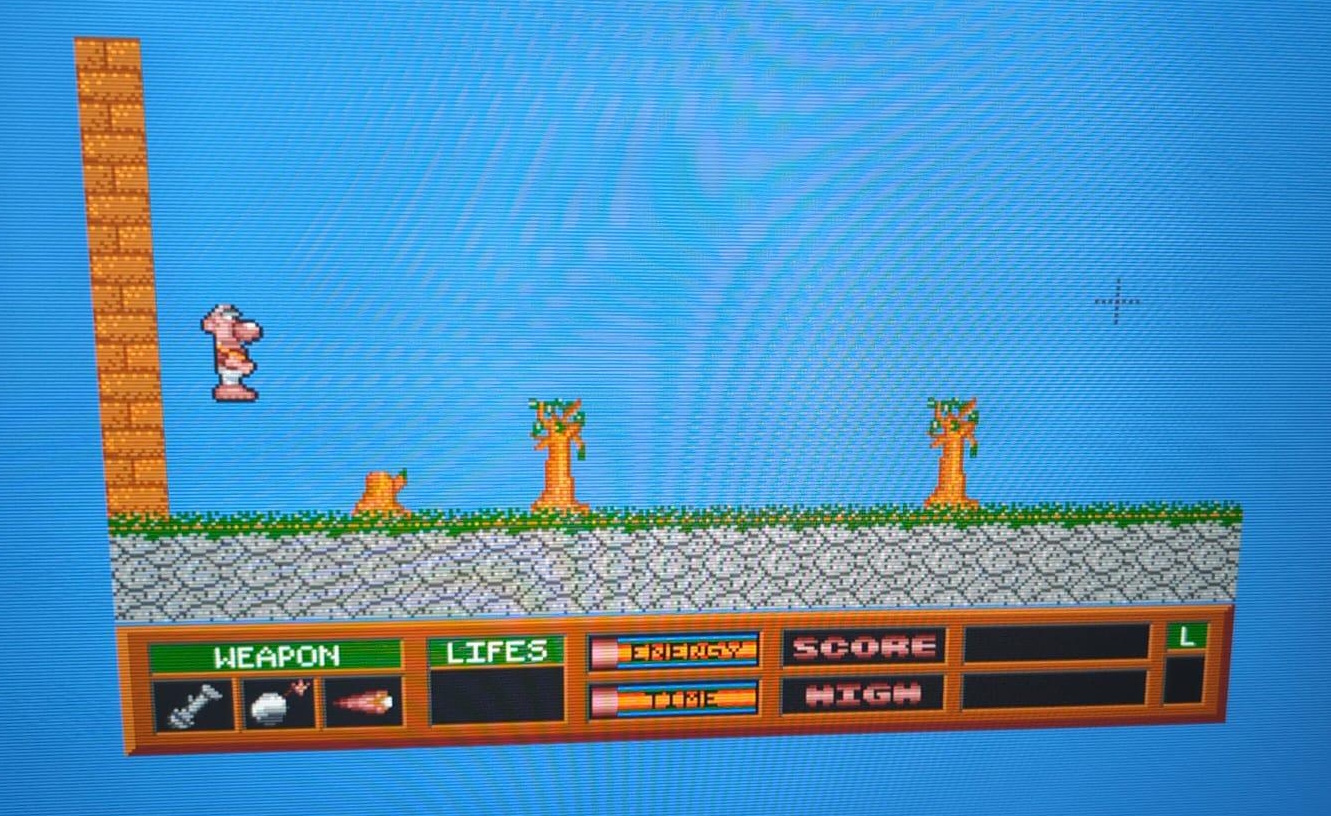 Our (unfinished) game called “Dr. Woody”
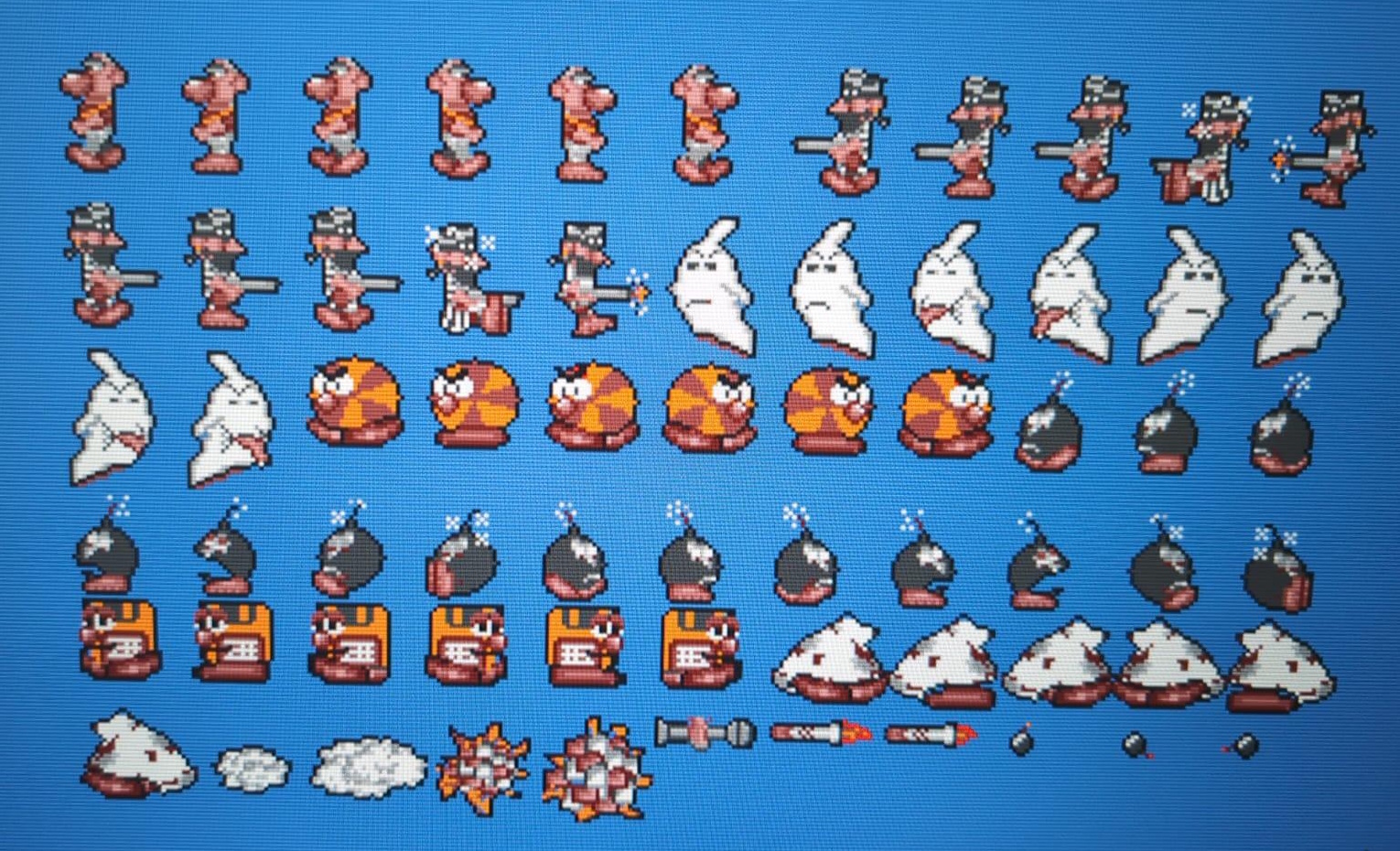 Dr. Woody sprite sheet
Demoscene
At some point, Roberto and I got in touch with the demoscene. I don’t really remember how but we must have met some scene people at a Atari ST meetup or something.
We quickly came up with a name for our little group: “CCC”, which stood for “Crazy Coding Crew”. Soon, we changed it to Odyssey (this was the name under which we released the Symbiosis guest screen for the Synergy Megademo). Later, we settled with Dawn (or “Dawn MultiMedia”, which was a sign of the times).
Our aliases also changed over time; I went from “Fix” and “Vulture” to Zeme and Roberto went from “Digital Coolness” to ManTra.
We went to a few notable parties, but I mentioned that in the Introduction already.
Today, Roberto and I are still in close touch with some of the demoscene people we met back then: Wingleader, BoNuS and Rapido. We regularly meet up and they’re also in the loop concerning the game I’m working on, providing invaluable contributions, feedback and support.
Assembly programming on the ST
Well, you know, if you have the potential to learn assembly programming and you’ve had a taste of the demoscene, the math is clear: you have to learn assembly programming. So I did. I never got extremely good at it but I could write some pretty decent code.
In the light of that, let me tell you a bit about the development of Symbiosis.
Symbiosis
The idea for this demo screen came from a rain effect I had recently coded.
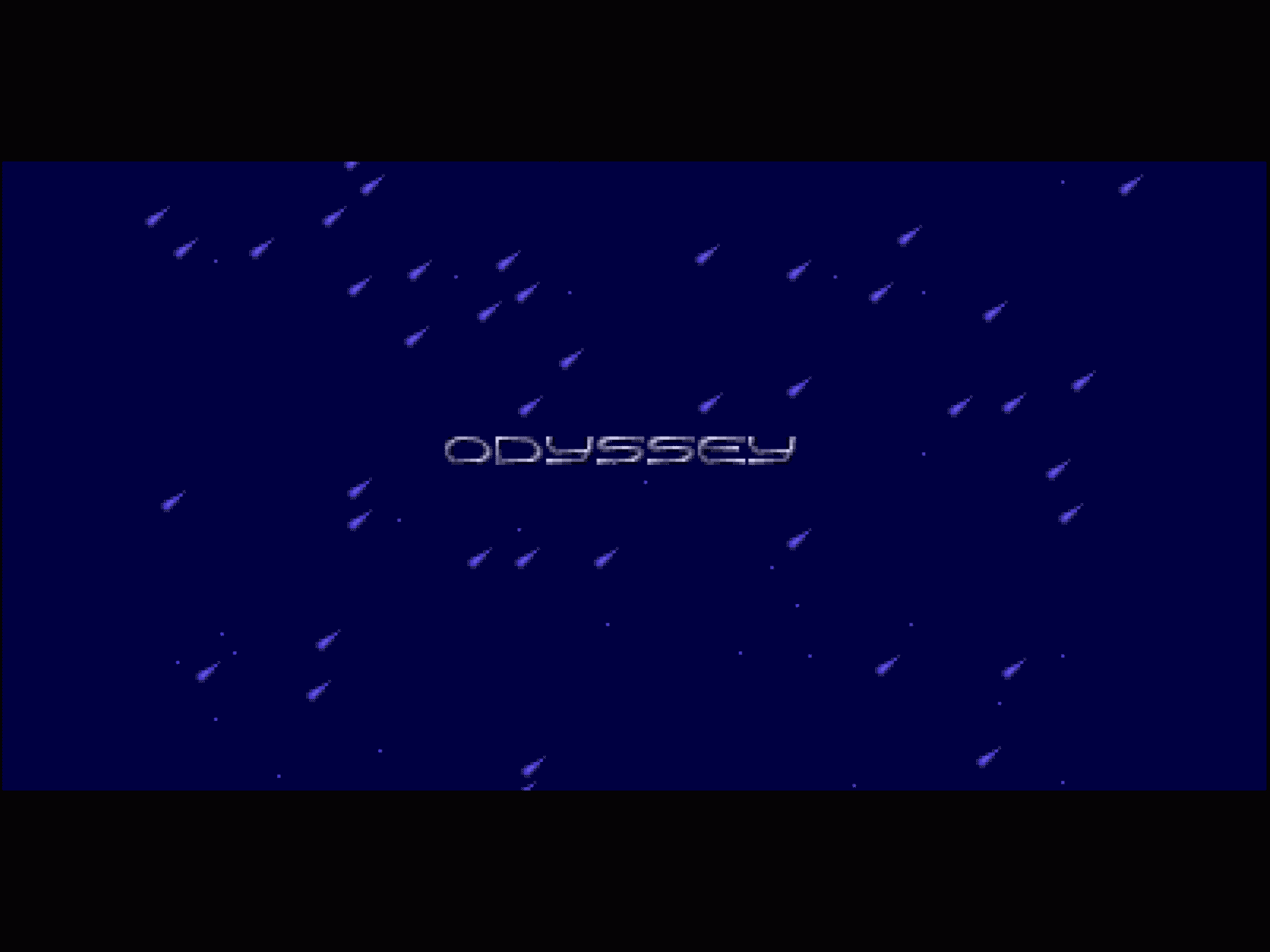 The rain effect in the Symbiosis demo screen
Although it was not a groundbreaking effect, it had such a nice cinematographic atmosphere.
I had wanted to do something with 3D balls for a while and I finally took the plunge. I went to the local library (because, you know, the internet wasn’t a thing yet) and I found a book about 3D graphics programming. I learned how to do 3D transformations and projections and I managed to transform it into assembly code.
I later learned that I could have done matrix transformations instead of doing the transformations separately, which would have been more efficient. But I didn’t know that at the time.
Now that I had the transformations working, I was able to display 3D objects constructed from small sphere-shaped sprites. I used only 2 bitplanes and used a specific palette so that I could draw the sprites without masking (using OR instructions only) to save precious CPU cycles.
I then wrote a small scripting system where I could specify when to transition to the next object (I used morphing for that), the timing of the subtitles, the color of the object, etc.
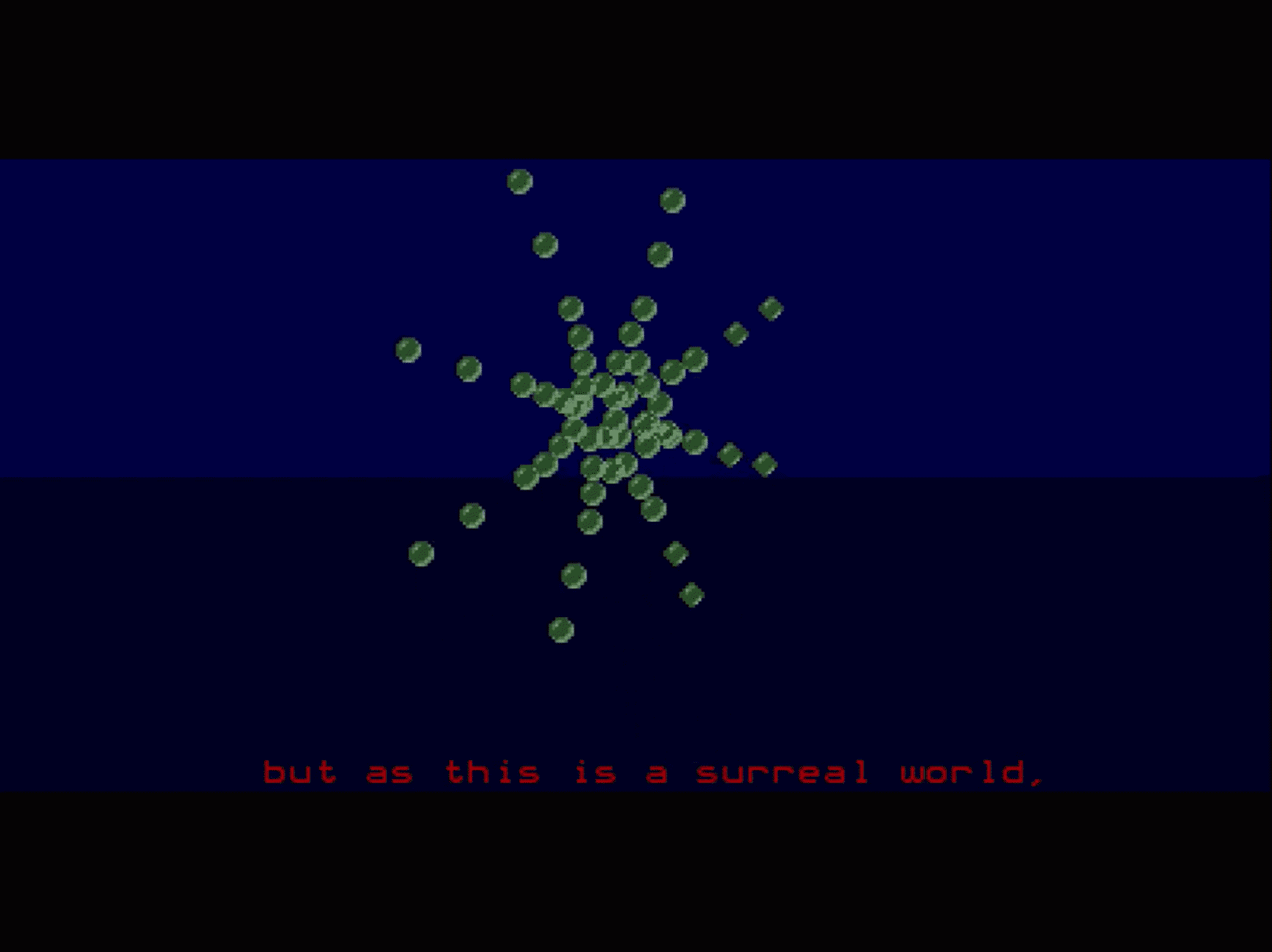 A 3D object in the Symbiosis demo screen
Many of the objects themselves were typed directly into assembly code using dc.w directives. This means those 3D coordinates were all made up on the spot.
    dc.w 0,0,0
    dc.w 1,10,0
    dc.w 2,20,0
    dc.w 3,30,0
    dc.w 4,40,0
    dc.w 6,50,0
    dc.w 8,60,0
    ...
Some of the objects were generated using a small GFA program I wrote, mainly because of the relatively complicated animation or shape. One example is the running man:
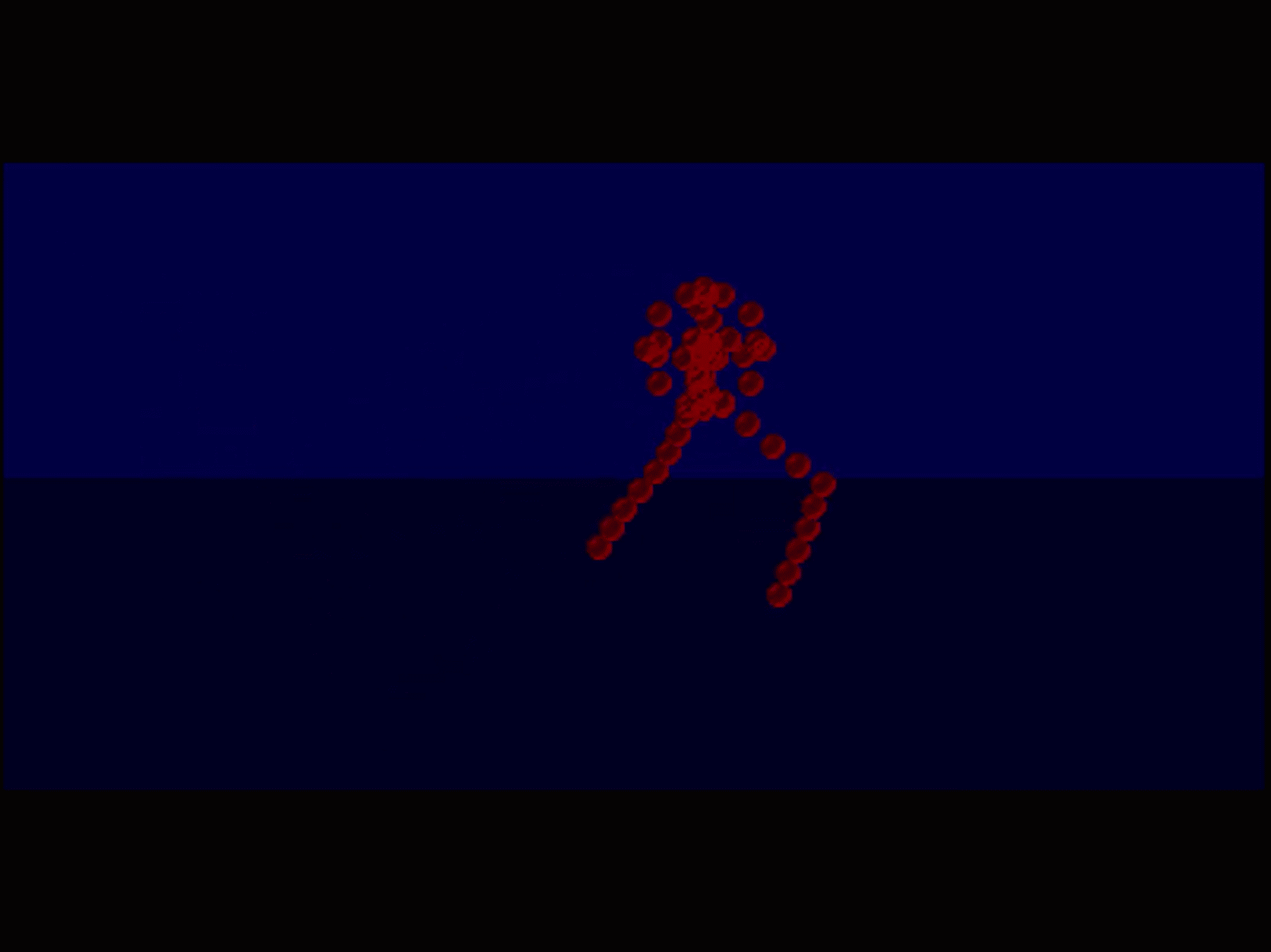 The running man in the Symbiosis demo screen
Roberto then went to draw these cool logo screens and they really finished off the demo screen nicely. And of course, the music by Scavenger was the cherry on top.
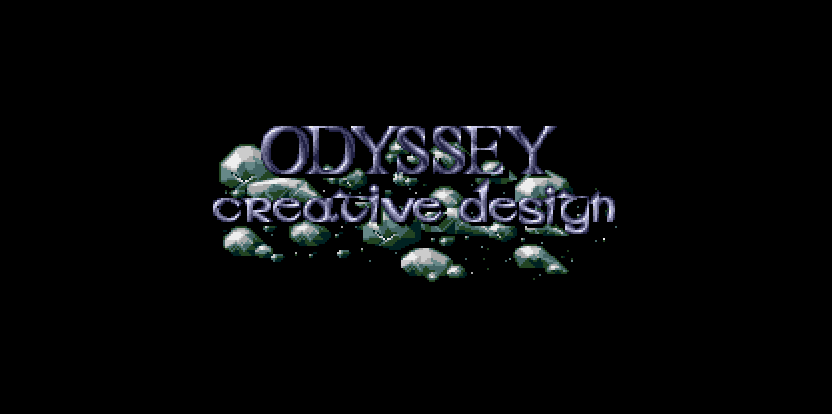 The Odyssey logo
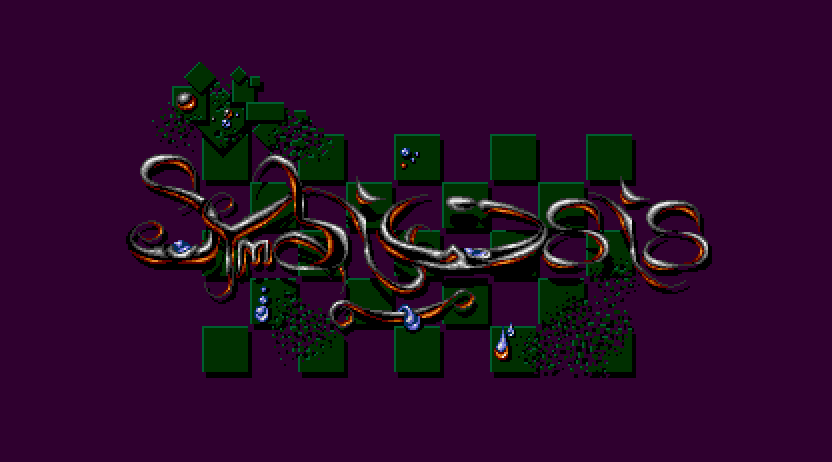 The Symbiosis logo
Something we only realized much later, when the demo was long finished and released, was that the graphics were a bit too dark. This was caused by my monitor, which was set too bright and Roberto used it to do a lot of the drawing on. We’re thinking of doing a remaster version somewhere in the future so who knows, we’ll finally fix the issue then.
One more anecdote
There’s one last anecdote I want to share before I get into the game concept.
At some point, I got a sample cartridge for the ST and I wrote a little pitch shifter routine in assembly, which allowed me to talk into a microphone and hear my voice back at a higher pitch (Chipmunk style).
I called my grandfather over the phone, having taped the microphone and a pair of headphones to the telephone, and I talked to him in that high-pitched voice. He got really confused and didn’t get what was going on but I had so much fun!
The new game
So I guess it’s finally time to talk about the vertically-scrolling shoot ‘em up I’m working on.
I have been working on it for 9 months now and I’m really, really excited about it. You have to be a bit crazy and really passionate about something like this to spend so much time on it. Not only am I 9 months in, but also pretty intensively so, meaning that I spent over 1000 hours already, to give you a sense of scale.
Besides all of the predictable elements that a game from this genre typically has, there are a few unique features that set the game apart. I’ll post about them later, mainly because this part is still a work in progress. But let me say that there will probably be some Metroidvania elements in the game that hopefully will make it much more interesting and fun to play.
Visually, the game sports a large scrolling playfield with a resolution of approximately 320x256 pixels, much like Lethal Xcess has. The game also uses sync scrolling, which allows for larger playfields and smoother scrolling and/or more sprites.
I’m targeting 25 frames per second (2 VBLs). This gives a smooth gameplay experience compared to most Atari ST games, but I’ll have to see if I can maintain it during development. At some point I might have to decide between lowering the frame rate to add more content or keeping the current rate.
But that’s just technical stuff. The most important thing is that the game is fun to play and will make you want to keep playing, right? That’s what I’m aiming for and it’s definitely not an afterthought. But I assure you that good looks, sound and features will be there as well.
State of the game
To give you a sense of where the game is at, I have a pretty good prototype running, with most of the technical features working:
- Scrolling, tile-based playfield
- Player ship with basic movement and shooting
- Collision detection
- Loot, including weapon upgrades and health pickups
- Enemies, enemy projectiles, and attack waves
- Background music and sound effects
This means you can already play a bit of the game; there’s a level with enemies, loot, and music. It’s pretty fun to play already, and it looks relatively polished if I may say so.
I’ve drawn most of the graphics myself, but I’m teaming up with Roberto now. I feel the game deserves the best and I’m really happy he agreed to collaborate.
The music is all my work, but I’m open to collaborating with other composers as well.
There are still many missing features, however, such as:
- Checkpoints
- Level progression system
- Boss fights
- More enemy types and attack patterns
- More weapons and power-ups
- More levels and accompanying graphics
- More music
So while the game is definitely not finished yet, it’s in a good state and I’m happy with the progress so far.
Target platform
This may not be the most exciting paragraph but it has to be mentioned to manage expectations: I’m targeting the Atari ST with 1 MB of RAM. The game will run from a single floppy disk or a hard drive (in the latter case, more memory is required).
The main reason for this is that it’s what I had back in the day, and I want to stay true to the experience it gave me back then.
The game will run on an STE as well, but I’m not yet planning to implement support for the extra features of the STE, such as the blitter or the extra colors.
There will probably be no support for later machines like the Falcon or the TT, because the game heavily relies on specific hardware timings of the ST. But I haven’t ruled it out completely yet, so who knows.
I know that by targeting the basic ST, I’m making it harder to achieve some of my goals but this entire project is all about the challenge and the fun of working within the constraints of the hardware anyway. Otherwise, I could just make a game for modern PCs.
Future plans
Of course I’ll make a public announcement about the game at some point, but I’m not yet sure when — hopefully sometime this year.
Oh, and before I forget: I’m planning a physical release in a custom box with a printed manual, distributed on either a floppy disk or a USB stick.
Wrapping up
I hope this gives you a good idea of what the game is about and what to expect. I’m not ready for full disclosure yet, but I’ll be sharing more details in future posts and I will also dive into a lot of the technical details, so stay tuned! I really want to share much more (honestly, it’s quite difficult to hold back with all this enthusiasm), but I have to be sensible about it, because I don’t want to spoil the fun and leave some room for surprises when the game is finally released.
Up next
Continue reading with the next post: Technical design
Footnotes
-
HCC stands for “Hobby Computer Club”, which is a Dutch computer club that has been around since the 1970s. The MZ-GG stands for “MZ Gebruikers Groep”, which is a subgroup of the HCC that focused on the Sharp MZ computers. ↩