Display layout
Now that we’ve glanced over the technical design of the game in the previous post, let’s take a look at the most prominent aspect of the game: the display and how it’s laid out.
I thought it best to address this topic early because I’ll use display-related terms a lot, and they can be confusing if not clearly defined.
Over the years as a software developer, I’ve learned that it’s very important to have clear definitions of the concepts and parts that are at play in a system. It’s easy to get lost in the details and lose sight of the big picture, especially when you are using synonyms for the same concept, or worse, when you are using the same word to refer to different concepts.
Definitions
Let’s define some basic aspects of the display.
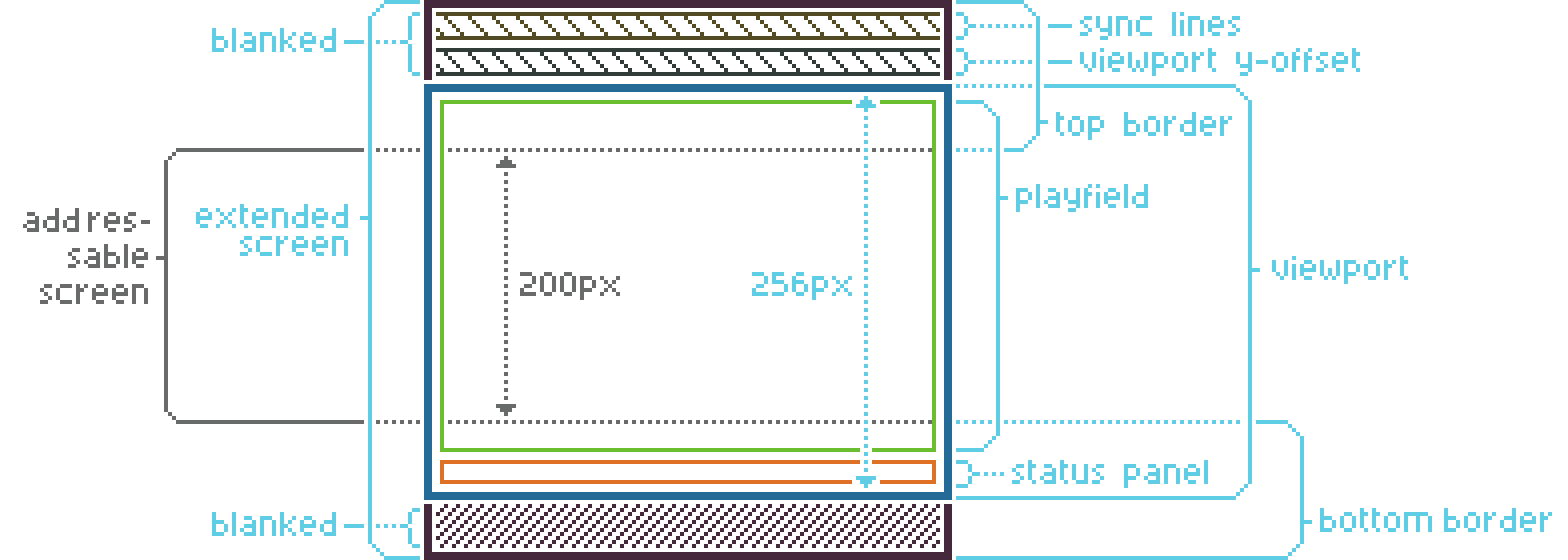
The screen comprises the entire visible display area. The diagram below shows the addressable screen — the portion of the display that the hardware designates for drawing graphics. I use the term addressable to indicate that this area is the only one where the program can write graphics. The remaining area, the border area, is not intended to be accessible to the program.
Actually, the border area can be made addressable using a demoscene technique that I’ll explain in a later post.
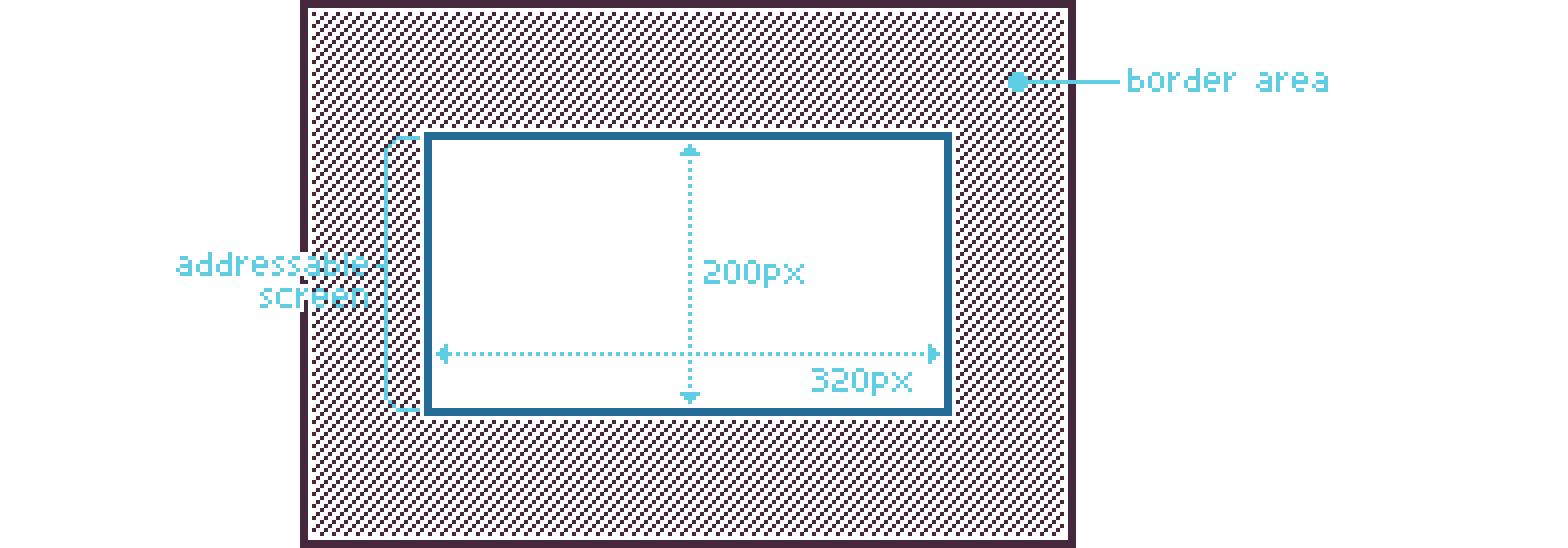
Borders around the screen are a common feature of retro computer systems. They were originally intended as a buffer for the display hardware because picture adjustments varied widely between different monitors and TVs (which were almost always CRTs). Modern displays use panels with fixed pixel dimensions however, so these borders are no longer necessary.
The game’s primary orientation is vertical; most aspects discussed here don’t depend on horizontal dimensions. For brevity, I’m omitting the horizontal borders and dimensions from the diagrams from now on.
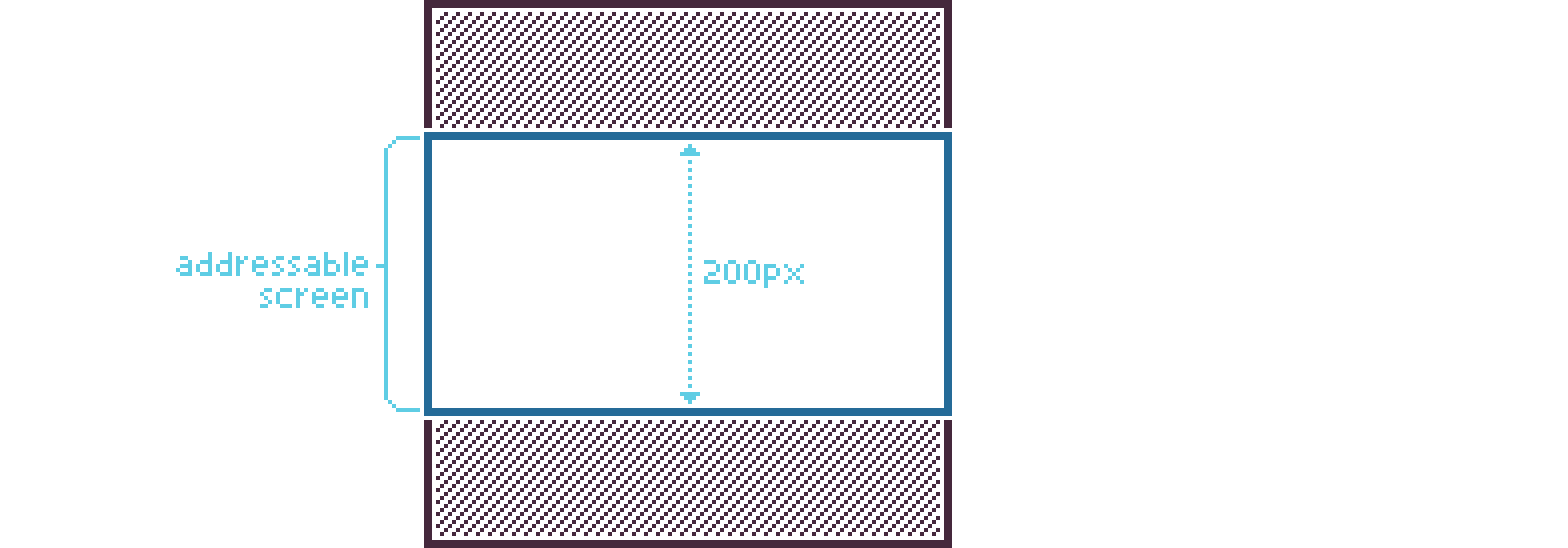
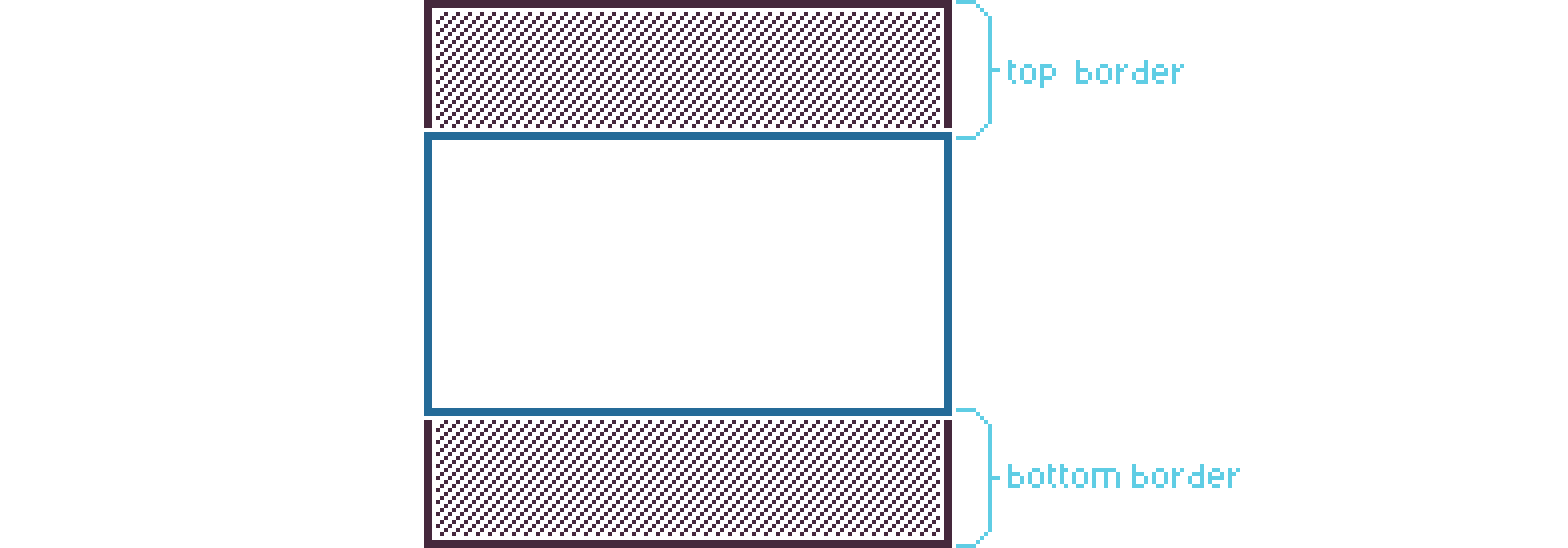
The border area is now divided into two different areas: the top border and the bottom border.
Using the demoscene technique I referred to earlier, the game extends the addressable screen to include portions of the top and bottom border areas. Not all of the border areas are reclaimed, however. I decided to keep the reclaimed area limited because players who still use a classic CRT monitor may not see the entire screen as graphics can disappear behind the edges of the display.
While it’s technically possible to extend the addressable screen to include the left and right borders as well, it’s virtually impossible in a game because doing so would introduce timing requirements that are too constraining for a dynamic environment.
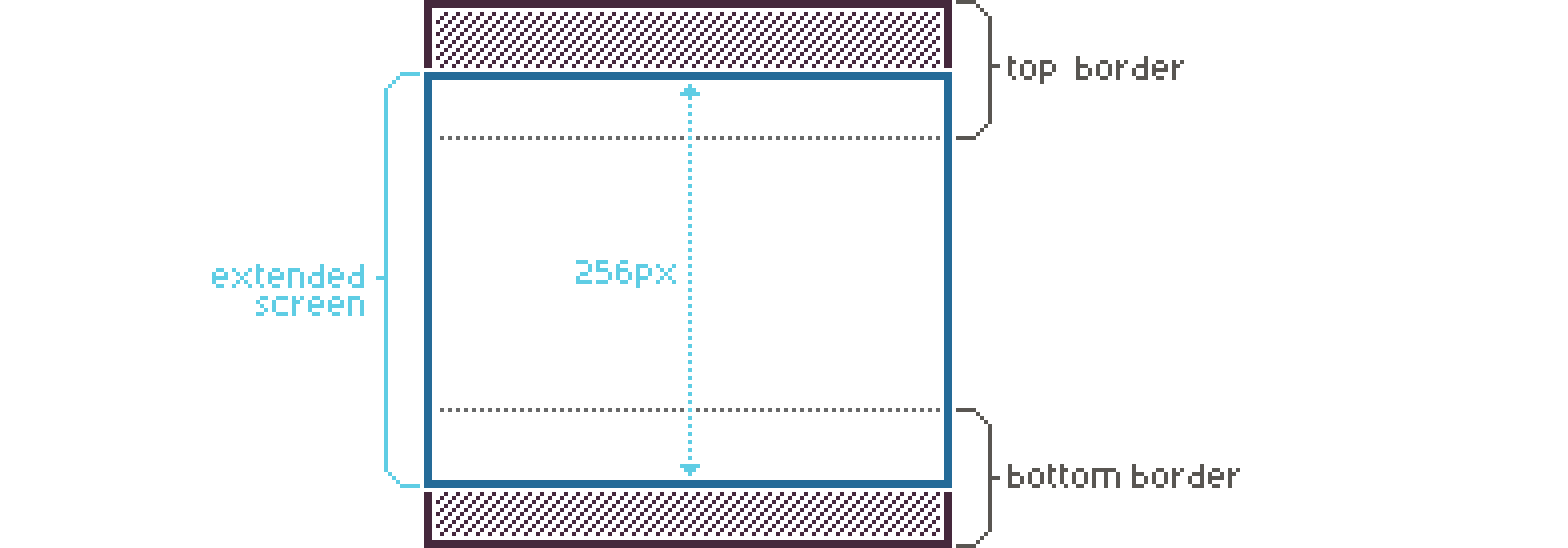
Now that we’ve defined the extended addressable screen, we’ll call it the viewport from now on. This makes reasoning about the display layout easier while the previous term remains useful in a more technical context.
To conclude with a final definition for viewport: it’s the area of the screen that is used for drawing the game graphics.

Next are the playfield and the status panel, both contained within the viewport. The playfield holds the level graphics; the status panel shows game information such as the number of lives and the amount of health the player has.
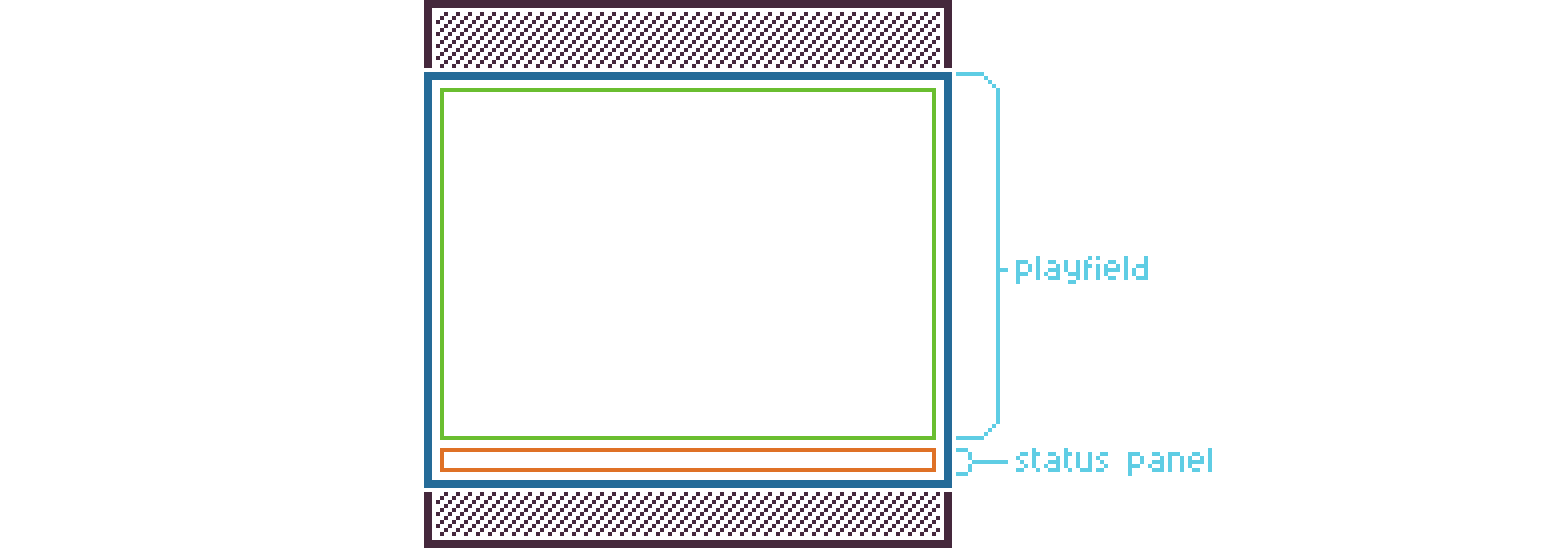
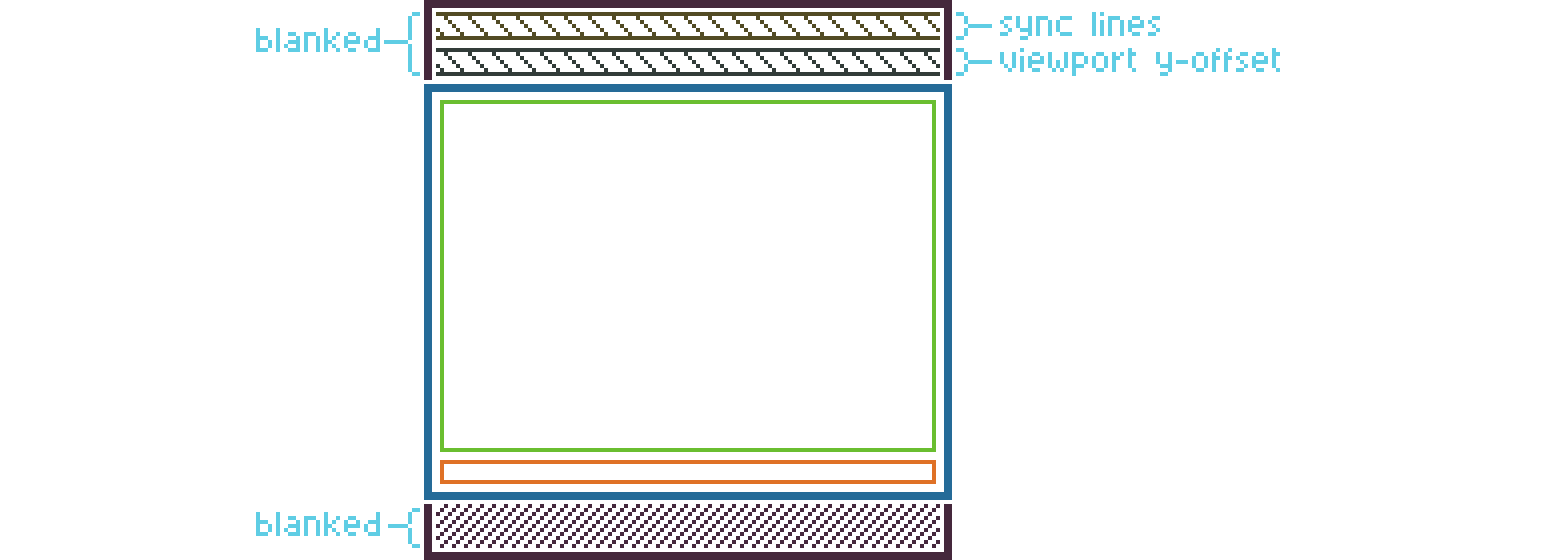
The game uses the sync scrolling demoscene technique (which I’ll cover in a future post as well), and it affects the screen layout. As a result, several scanlines — called sync lines — are not available for drawing and must be blanked out to avoid graphical glitches.
Blanking out graphics means the game uses a completely black palette during rendering of the area to hide any graphical content or background color.
Also, to adjust the vertical position of the viewport, another area at the top is blanked out, as indicated by viewport y-offset in the diagram below.
Combining the aspects
In the diagram below, you can find a combined overview of the aspects explained above. I often use this diagram myself as a reference when I write display-related code for the game.
Summary
Now that we’ve defined the display’s components, we can use this knowledge to understand concepts in future posts. Stay tuned!
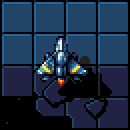
Oh, and one more thing… I wanted to share a small teaser of the game, so I here’s a cut-out of a screenshot I took. It’s from an early version; the graphics may change considerably over time.
Up next
Continue reading with the next post: The screen buffer